
README_EN.md 17 KB
RustDesk API
This project implements the RustDesk API using Go, and includes both a web UI and web client. RustDesk is a remote desktop software that provides self-hosted solutions.


Features
- PC API
- Personal API
- Login
- Address Book
- Groups
- Authorized login, supports
GitHub,GoogleandOIDClogin, supportsweb adminauthorized login - i18n
- Web Admin
- User Management
- Device Management
- Address Book Management
- Tag Management
- Group Management
- OAuth Management
- Login Logs
- Connection Logs
- File Transfer Logs
- Quick access to web client
- i18n
- Share to guest by web client
- Web Client
- Automatically obtain API server
- Automatically obtain ID server and KEY
- Automatically obtain address book
- Visitors are remotely to the device via a temporary sharing link
CLI
Reset admin password
Prerequisites
Rustdesk
The PC client uses version 1.3.0, and versions 1.2.6+ have been tested to work.
Solutions for PC client connection timeout or connection issues
Connection issues or timeouts
Because the server version lags behind the client version, the server does not respond to the client's secure_tcp request, causing the client to timeout.
Relevant code can be found at https://github.com/rustdesk/rustdesk/blob/master/src/client.rs#L322
    if !key.is_empty() && !token.is_empty() {
    // mainly for the security of token
    allow_err!(secure_tcp(&mut socket, key).await);
    }
As seen, when both key and token are not empty, secure_tcp is called, but the server does not respond, causing the client to timeout.
The secure_tcp code is located at https://github.com/rustdesk/rustdesk/blob/master/src/common.rs#L1203
Four Solutions
- Specify the key on the server.
- Advantage: Simple
- Disadvantage: The connection is not encrypted
bash
hbbs -r <relay-server-ip[:port]> -k <key>
hbbr -k <key>
For examplebash hbbs -r <relay-server-ip[:port]> -k abc1234567 hbbr -k abc1234567
- Use a system-generated key or a custom key pair on the server. If the client is already logged in, it may timeout or fail to connect. Logging out and reconnecting usually resolves the issue, and the web client does not need to log out.
- Advantage: Encrypted connection
- Disadvantage: Complicated operation
- Use a system-generated key or a custom key pair on the server, fork the official client code to modify
secure_tcpto return directly, then compile usingGithub Actionsand download the compiled client. Refer to official documentation- Advantage: Encrypted connection, customizable client features, ready to use after compilation
- Disadvantage: Requires forking code and compiling, which can be challenging
- Use my forked code, which has already modified
secure_tcp. You can download and use it directly from here- Advantage: Code changes are viewable, compiled with
Github Actions, encrypted connection, ready to use - Disadvantage: May not keep up with official version updates
- Advantage: Code changes are viewable, compiled with
If encryption is not a high priority, use 1. If encryption is important, use 3 or 4.
Overview
API Service
Basic implementation of the PC client's primary interfaces.Supports the Personal version api, which can be enabled by configuring the rustdesk.personal file or the RUSTDESK_API_RUSTDESK_PERSONAL environment variable.
Login
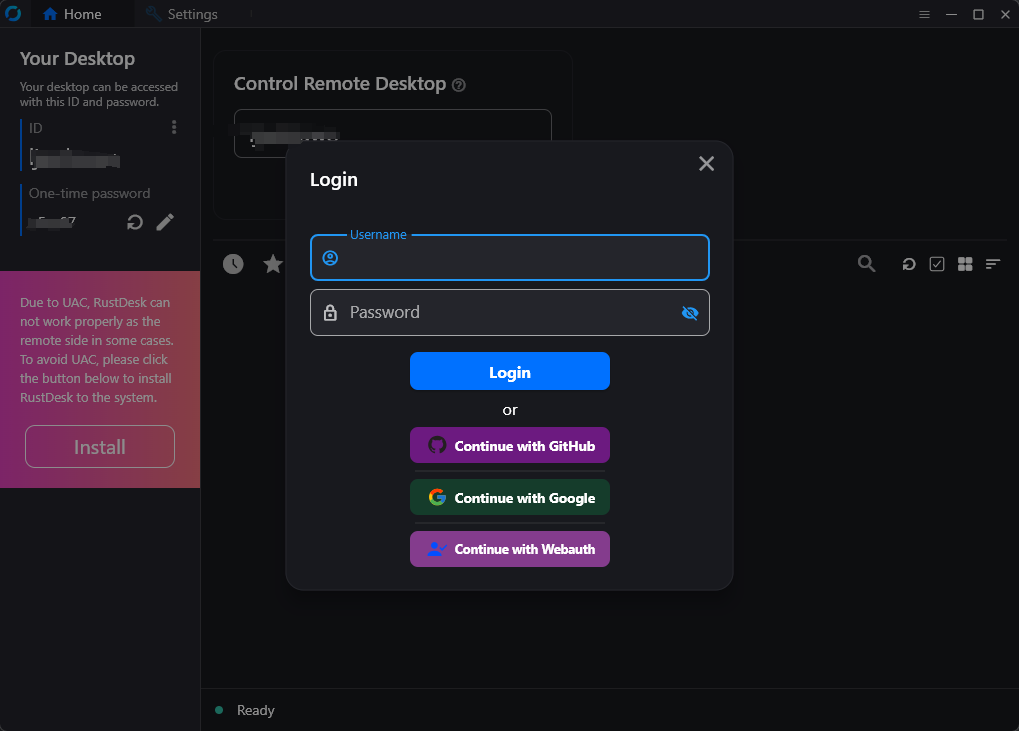
- Added
GitHub,GoogleandOIDClogin, which can be used after configuration in the admin panel. See the OAuth configuration section for details. - Added authorization login for the web admin panel.
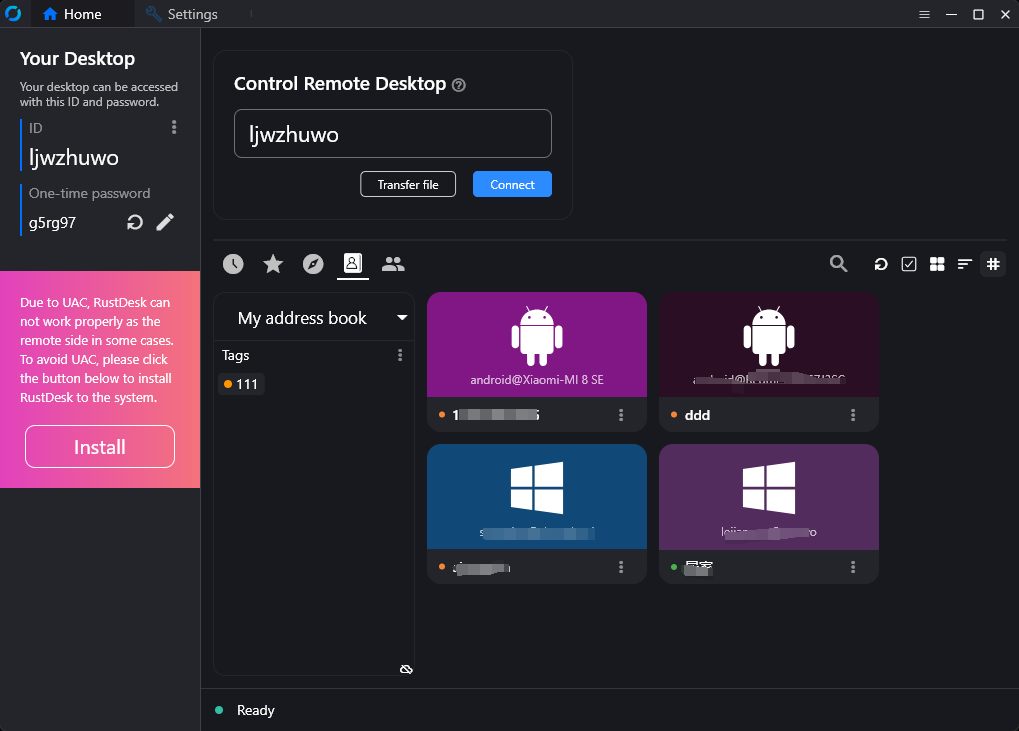
Address Book
Groups
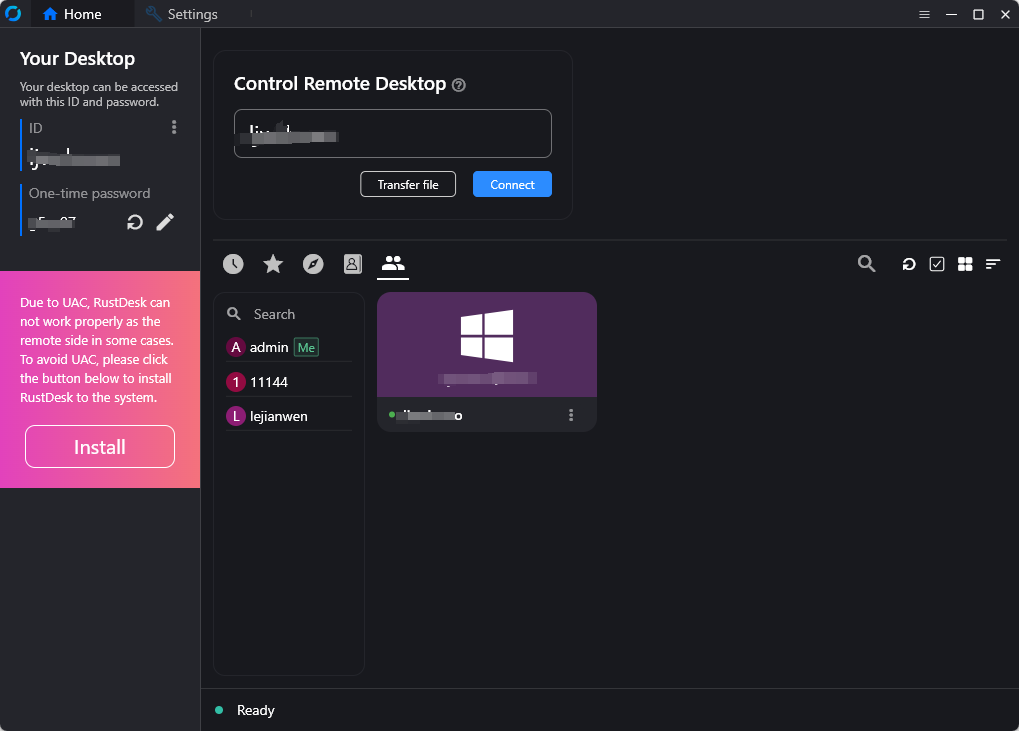
Groups are divided into shared groups and regular groups. In shared groups, everyone can see the peers of all group members, while in regular groups, only administrators can see all members' peers.
Web Admin
The frontend and backend are separated to provide a user-friendly management interface, primarily for managing and displaying data.Frontend code is available at rustdesk-api-web
Admin panel URL:
http://<your server[:port]>/_admin/. The default username and password for the initial installation areadminadmin, please change the password immediately.
- Admin interface:
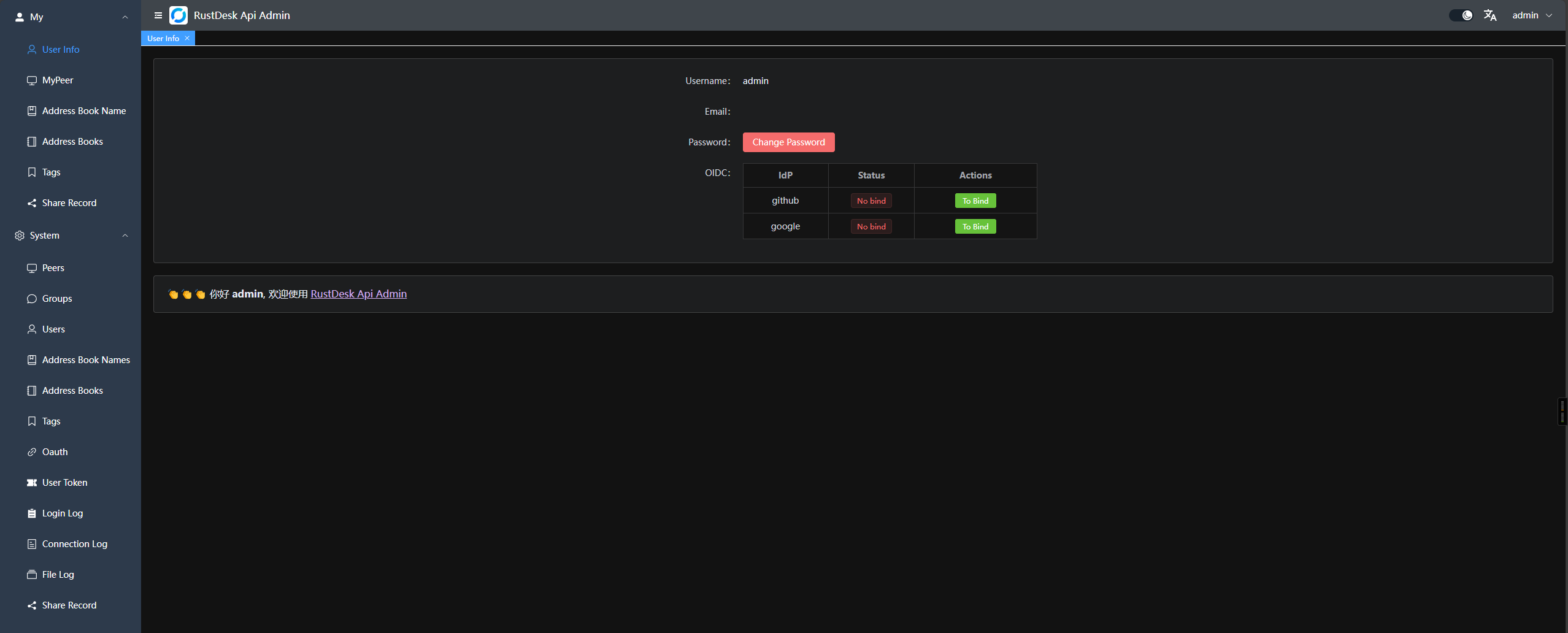
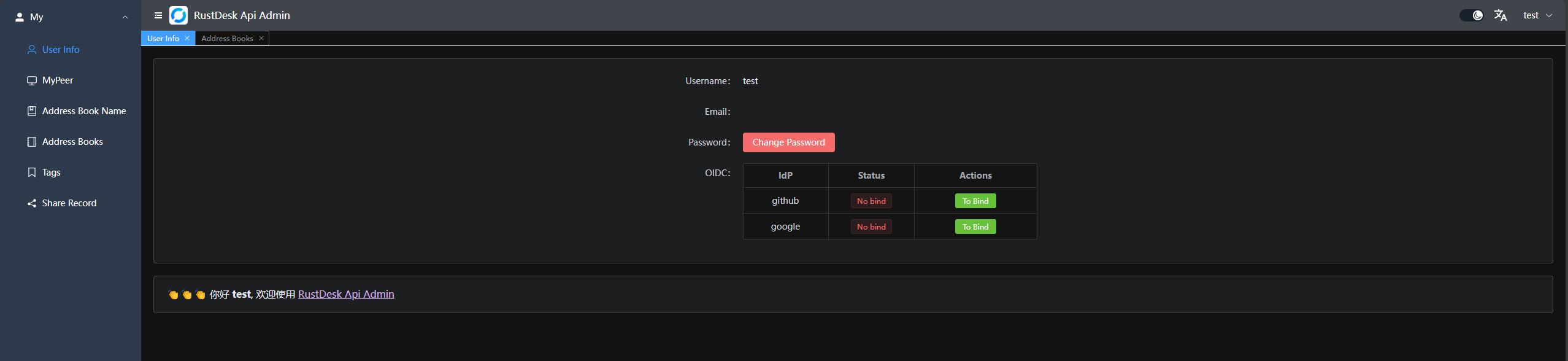
- Regular user interface:
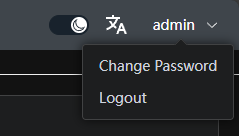
 In the top right corner, you can change the password, switch languages, and toggle between
 day/nightmode.
- Groups can be customized for easy management. Currently, two types are supported:
shared groupandregular group.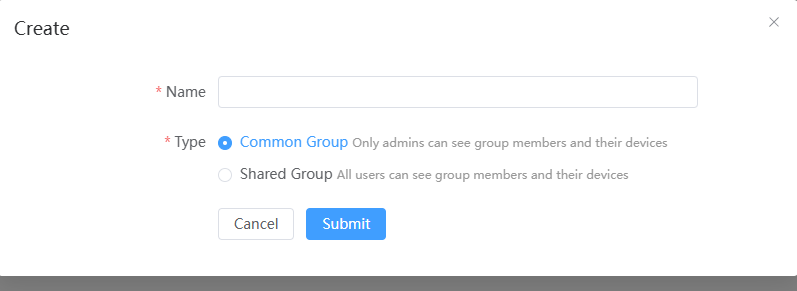
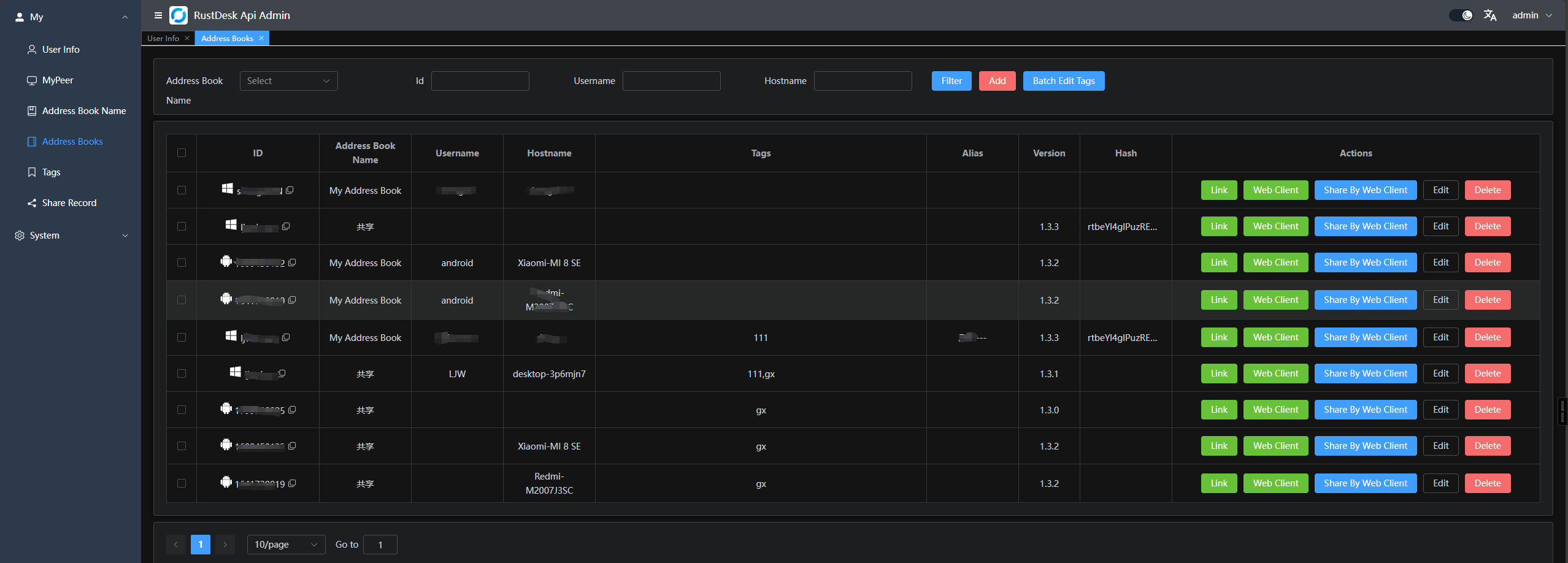
- You can directly launch the client or open the web client for convenience; you can also share it with guests, who can remotely access the device via the web client.
- OAuth support: Currently,
GitHub,GoogleandOIDCare supported. You need to create anOAuth Appand configure it in the admin panel.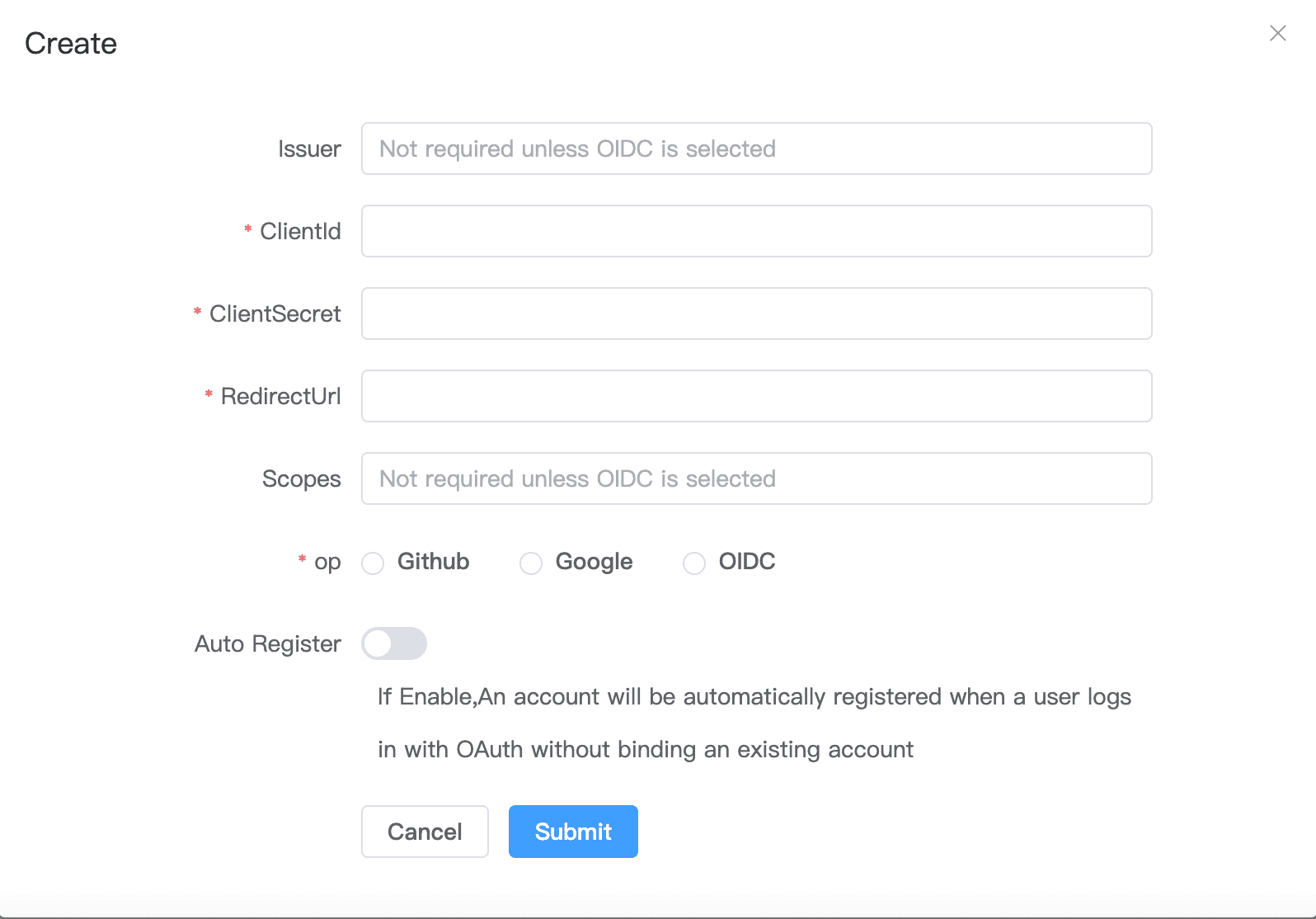
- For
GoogleandGithub, you don't need to fill theIssuerandScpoes - For
OIDC, you must set theIssuer. AndScopesis optional which default isopenid,email,profile, please make sure thisOauth Appcan accesssub,emailandpreferred_username - Create a
GitHub OAuth AppatSettings->Developer settings->OAuth Apps->New OAuth Apphere. - Set the
Authorization callback URLtohttp://<your server[:port]>/api/oauth/callback, e.g.,http://127.0.0.1:21114/api/oauth/callback.
- For
Web Client:
- If you're already logged into the admin panel, the web client will log in automatically.
- If you're not logged in, simply click the login button in the top right corner, and the API server will be pre-configured.
- After logging in, the ID server and key will be automatically synced.
- The address book will also be automatically saved to the web client for convenient use.
- Now supports
v2 Preview, accessible at/webclient2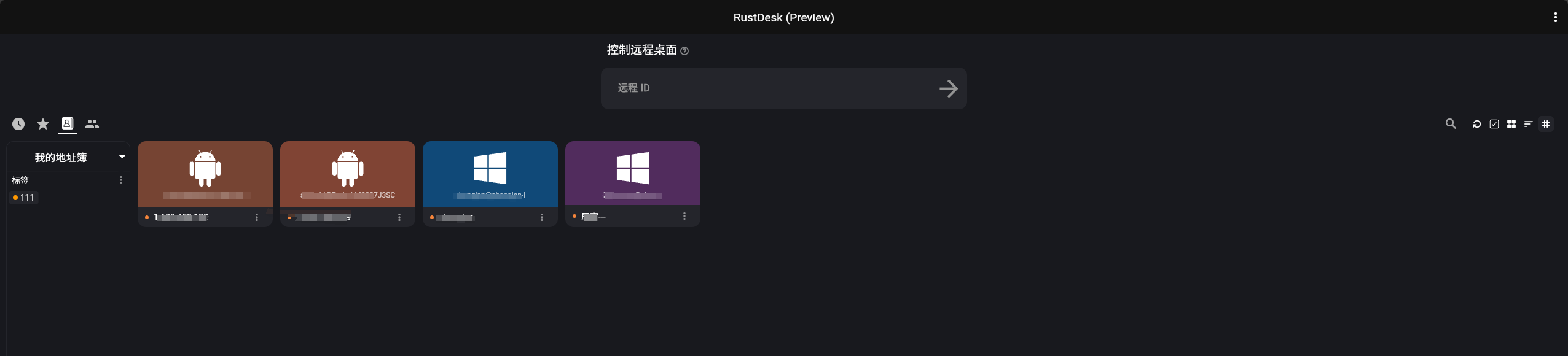
v2 previewdeployment, WIKI
Automated Documentation : API documentation is generated using Swag, making it easier for developers to understand and use the API.
- Admin panel docs:
<your server[:port]>/admin/swagger/index.html - PC client docs:
<your server[:port]>/swagger/index.html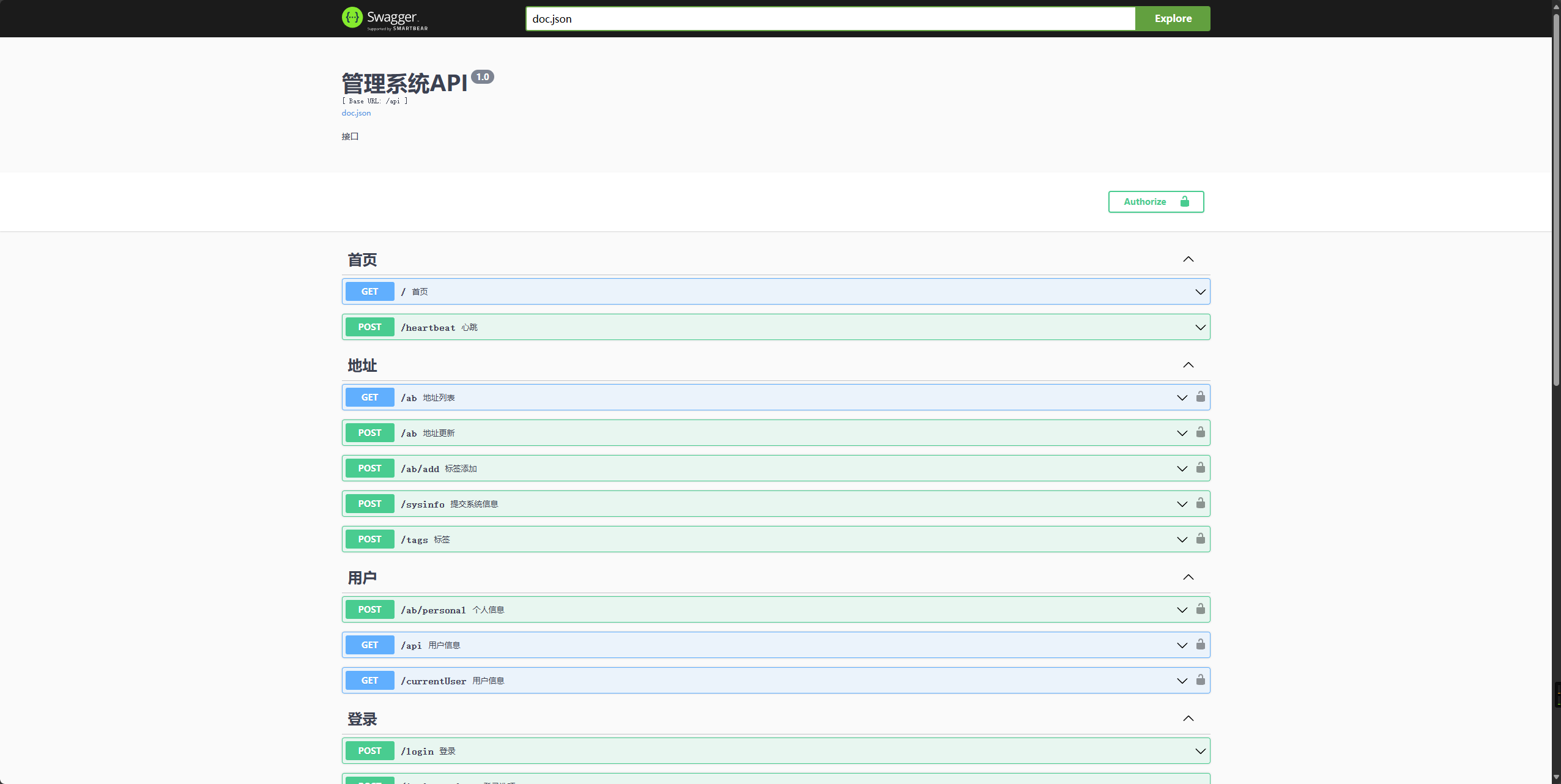
CLI
# help
./apimain -h
Reset admin password
./apimain reset-admin-pwd <pwd>
Installation and Setup
Configuration
- Modify the configuration in
conf/config.yaml. - If
gorm.typeis set tosqlite, MySQL-related configurations are not required. - Language support:
enandzh-CNare supported. The default iszh-CN.
lang: "en"
app:
  web-client: 1  # web client route 1:open 0:close
  register: false #register enable
  show-swagger: 0 #show swagger 1:open 0:close
gin:
  api-addr: "0.0.0.0:21114"
  mode: "release"
  resources-path: 'resources'
  trust-proxy: ""
gorm:
  type: "sqlite"
  max-idle-conns: 10
  max-open-conns: 100
mysql:
  username: "root"
  password: "111111"
  addr: "192.168.1.66:3308"
  dbname: "rustdesk"
rustdesk:
  id-server: "192.168.1.66:21116"
  relay-server: "192.168.1.66:21117"
  api-server: "http://192.168.1.66:21114"
  key: "123456789"
  personal: 1
logger:
  path: "./runtime/log.txt"
  level: "warn" #trace,debug,info,warn,error,fatal
  report-caller: true
proxy:
  enable: false
  host: ""
Environment Variables
The prefix for variable names is RUSTDESK_API. If environment variables exist, they will override the configurations in the configuration file.
| Variable Name | Description | Example |
|---|---|---|
| TZ | timezone | Asia/Shanghai |
| RUSTDESK_API_LANG | Language | en,zh-CN |
| RUSTDESK_API_APP_WEB_CLIENT | web client on/off; 1: on, 0 off, default: 1 | 1 |
| RUSTDESK_API_APP_REGISTER | register enable; true, false; default:false |
false |
| RUSTDESK_API_APP_SHOW_SWAGGER | swagger visible; 1: yes, 0: no; default: 0 | 0 |
| ----- ADMIN Configuration----- | ---------- | ---------- |
| RUSTDESK_API_ADMIN_TITLE | Admin Title | RustDesk Api Admin |
| RUSTDESK_API_ADMIN_HELLO | Admin welcome message, you can use html |
|
| RUSTDESK_API_ADMIN_HELLO_FILE | Admin welcome message file, will override RUSTDESK_API_ADMIN_HELLO |
./conf/admin/hello.html |
| ----- GIN Configuration ----- | --------------------------------------- | ----------------------------- |
| RUSTDESK_API_GIN_TRUST_PROXY | Trusted proxy IPs, separated by commas. | 192.168.1.2,192.168.1.3 |
| ----- GORM Configuration ----- | --------------------------------------- | ----------------------------- |
| RUSTDESK_API_GORM_TYPE | Database type (sqlite or mysql). Default is sqlite. |
sqlite |
| RUSTDESK_API_GORM_MAX_IDLE_CONNS | Maximum idle connections | 10 |
| RUSTDESK_API_GORM_MAX_OPEN_CONNS | Maximum open connections | 100 |
| RUSTDESK_API_RUSTDESK_PERSONAL | Open Personal Api 1:Enable,0:Disable | 1 |
| ----- MYSQL Configuration ----- | --------------------------------------- | ----------------------------- |
| RUSTDESK_API_MYSQL_USERNAME | MySQL username | root |
| RUSTDESK_API_MYSQL_PASSWORD | MySQL password | 111111 |
| RUSTDESK_API_MYSQL_ADDR | MySQL address | 192.168.1.66:3306 |
| RUSTDESK_API_MYSQL_DBNAME | MySQL database name | rustdesk |
| ----- RUSTDESK Configuration ----- | --------------------------------------- | ----------------------------- |
| RUSTDESK_API_RUSTDESK_ID_SERVER | Rustdesk ID server address | 192.168.1.66:21116 |
| RUSTDESK_API_RUSTDESK_RELAY_SERVER | Rustdesk relay server address | 192.168.1.66:21117 |
| RUSTDESK_API_RUSTDESK_API_SERVER | Rustdesk API server address | http://192.168.1.66:21114 |
| RUSTDESK_API_RUSTDESK_KEY | Rustdesk key | 123456789 |
| RUSTDESK_API_RUSTDESK_KEY_FILE | Rustdesk key file | ./conf/data/id_ed25519.pub |
| RUSTDESK_API_RUSTDESK_WEBCLIENT_MAGIC_QUERYONLINE | New online query method is enabled in the web client v2; '1': Enabled, '0': Disabled, not enabled by default | 0 |
| ---- PROXY ----- | --------------- | ---------- |
| RUSTDESK_API_PROXY_ENABLE | proxy_enable :false, true |
false |
| RUSTDESK_API_PROXY_HOST | proxy_host | http://127.0.0.1:1080 |
Installation Steps
Running via Docker
Run directly with Docker. Configuration can be modified by mounting the config file
/app/conf/config.yaml, or by using environment variables to override settings.docker run -d --name rustdesk-api -p 21114:21114 \ -v /data/rustdesk/api:/app/data \ -e RUSTDESK_API_LANG=en \ -e RUSTDESK_API_RUSTDESK_ID_SERVER=192.168.1.66:21116 \ -e RUSTDESK_API_RUSTDESK_RELAY_SERVER=192.168.1.66:21117 \ -e RUSTDESK_API_RUSTDESK_API_SERVER=http://192.168.1.66:21114 \ -e RUSTDESK_API_RUSTDESK_KEY=abc123456 \ lejianwen/rustdesk-apiUsing
docker-compose,look WIKI
Running from Release
Download the release from release.
Source Installation
Clone the repository:
git clone https://github.com/lejianwen/rustdesk-api.git
cd rustdesk-api
Install dependencies:
go mod tidy
# Install Swag if you need to generate documentation; otherwise, you can skip this step
go install github.com/swaggo/swag/cmd/swag@latest
Build the admin front-end (the front-end code is in rustdesk-api-web):
cd resources
mkdir -p admin
git clone https://github.com/lejianwen/rustdesk-api-web
cd rustdesk-api-web
npm install
npm run build
cp -ar dist/* ../admin/
Run:
# Run directly
go run cmd/apimain.go
# Or generate and run the API using generate_api.go
go generate generate_api.go
To compile, change to the project root directory. For Windows, run
build.bat, and for Linux, runbuild.sh. After compiling, the corresponding executables will be generated in thereleasedirectory. Run the compiled executables directly.Open your browser and visit
http://<your server[:port]>/_admin/, with default credentialsadmin admin. Please change the password promptly.